Most guests meet your restaurant on a phone, often straight from Google Maps. In a few seconds they want three things: the menu, the hours, and a way to order or book. A good restaurant website template gives them all three before they lose patience, and still looks like your place, not a generic theme.
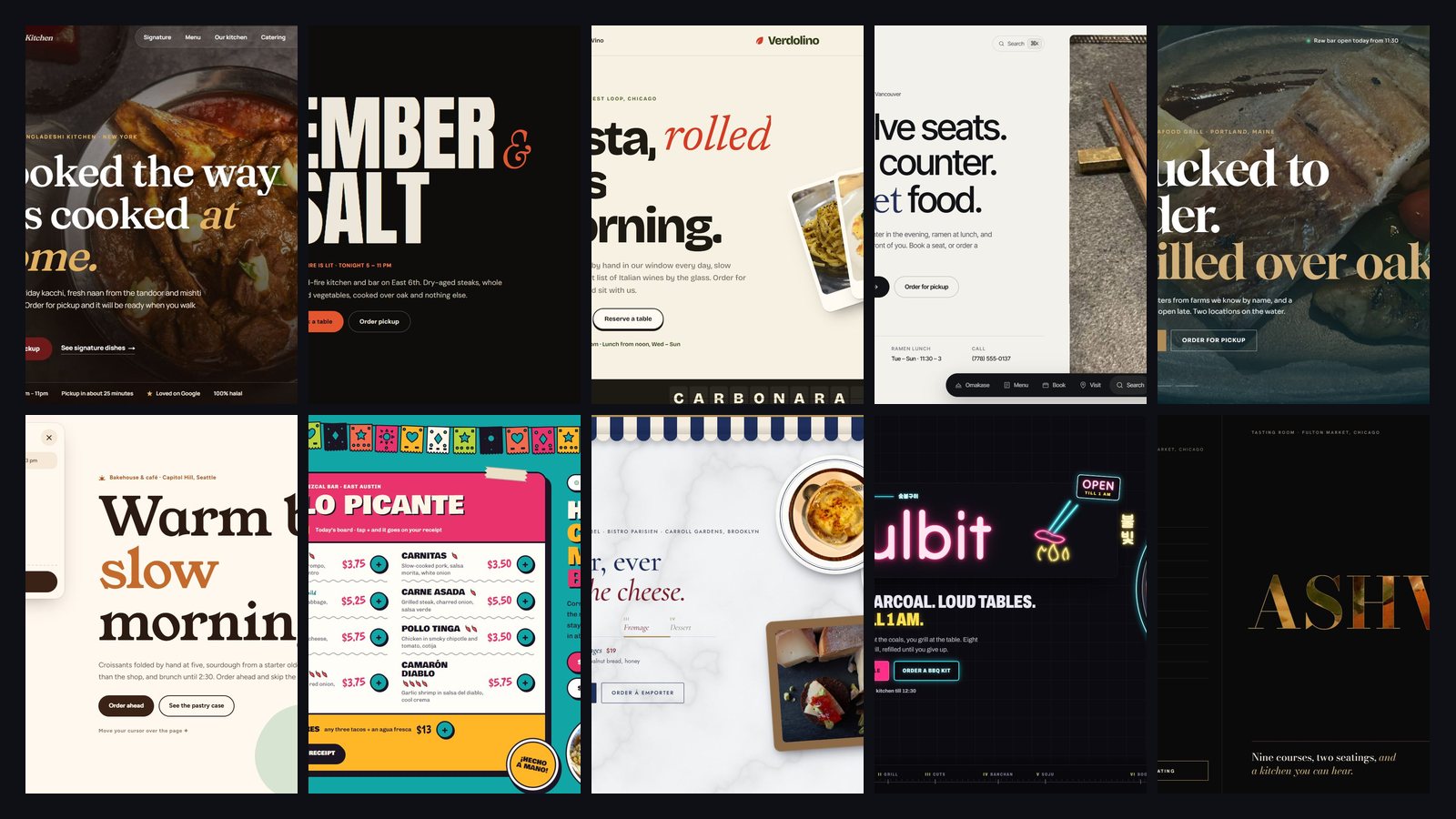
Below are ten restaurant website templates for 2026, each a complete, working site you can open and click around: menu, cart, checkout or booking, on desktop and on a phone. One honest note before we start: we built all ten at Qudexa. Each one is made for a made-up restaurant so you can judge the design on its own, and each can be rebuilt with your name, menu and photos.
What every restaurant website template needs
Before the list, the checklist we hold every design to. Use it on any template you look at, ours or anyone else's.
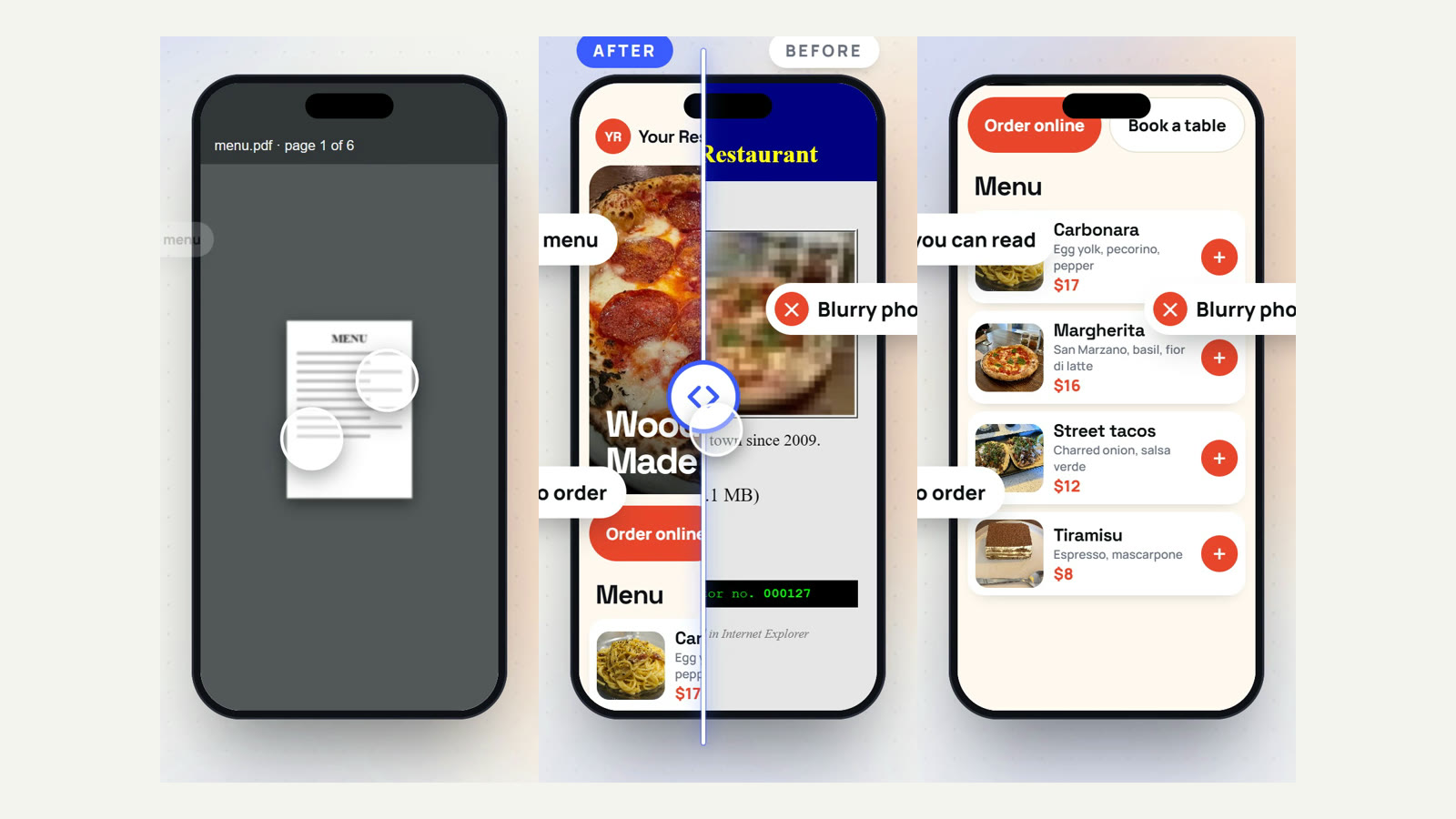
- A real menu, written as text. Not a PDF and not a photo of the printed menu. Text loads fast, reads well on a phone, and Google can read it, which helps you show up for "pasta near me" type searches.
- Hours, address and phone within one tap. Guests who can't find your hours call instead, or go somewhere else.
- One clear action. "Order for pickup" or "Book a table", visible on the first screen and again at the end of the menu.
- Fast on a phone. Big images that take ages to load cost you guests. Every template here loads its photos as they scroll into view.
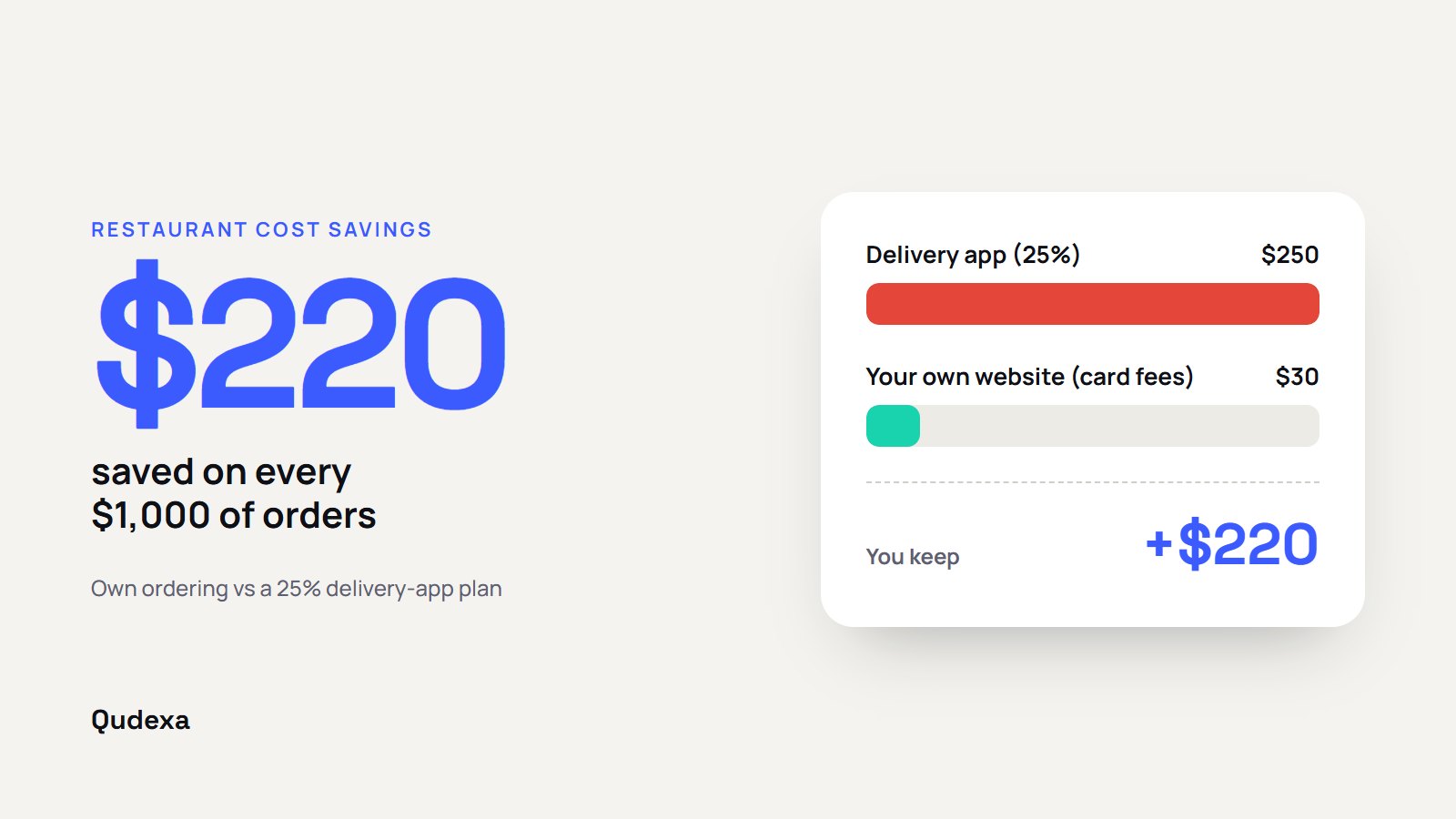
- Your own ordering, not a link out to an app. Delivery apps charge commission on every order; your own ordering keeps that money with you. We wrote about this in how to stop losing up to 30% to delivery apps.
- A proper phone menu. Not desktop links squeezed into a hamburger and forgotten. Thumbs need big targets.
- Your Google profile in step. The same hours, menu link and order link on Google as on your site.
Now, the ten templates.
Shapla Kitchen: warm and editorial, for family-run restaurants
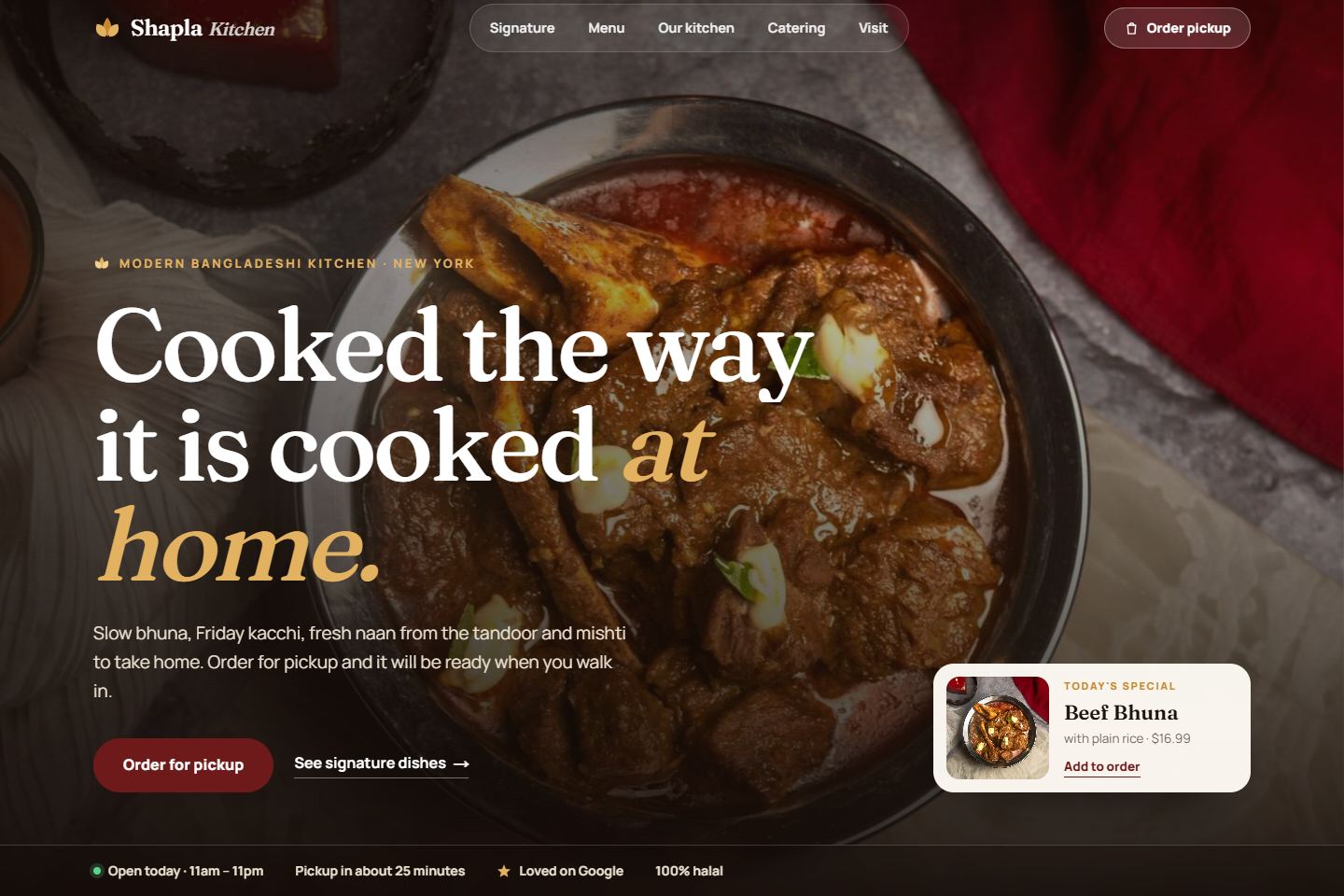
Cream paper, wine red and a little gold, with a printed-menu feel: dot leaders between dishes and prices, and photos that open like curtains as you scroll. A floating pill-shaped navigation follows you down the page, and on phones it opens into a full-screen menu.
- Best for: family-run and home-style restaurants, South Asian, Middle Eastern and comfort-food kitchens.
- Built in: pickup ordering, catering requests, a reviews section.
Open the live Shapla Kitchen demo →
Ember & Salt: dark, bold and smoky, for grills and steakhouses
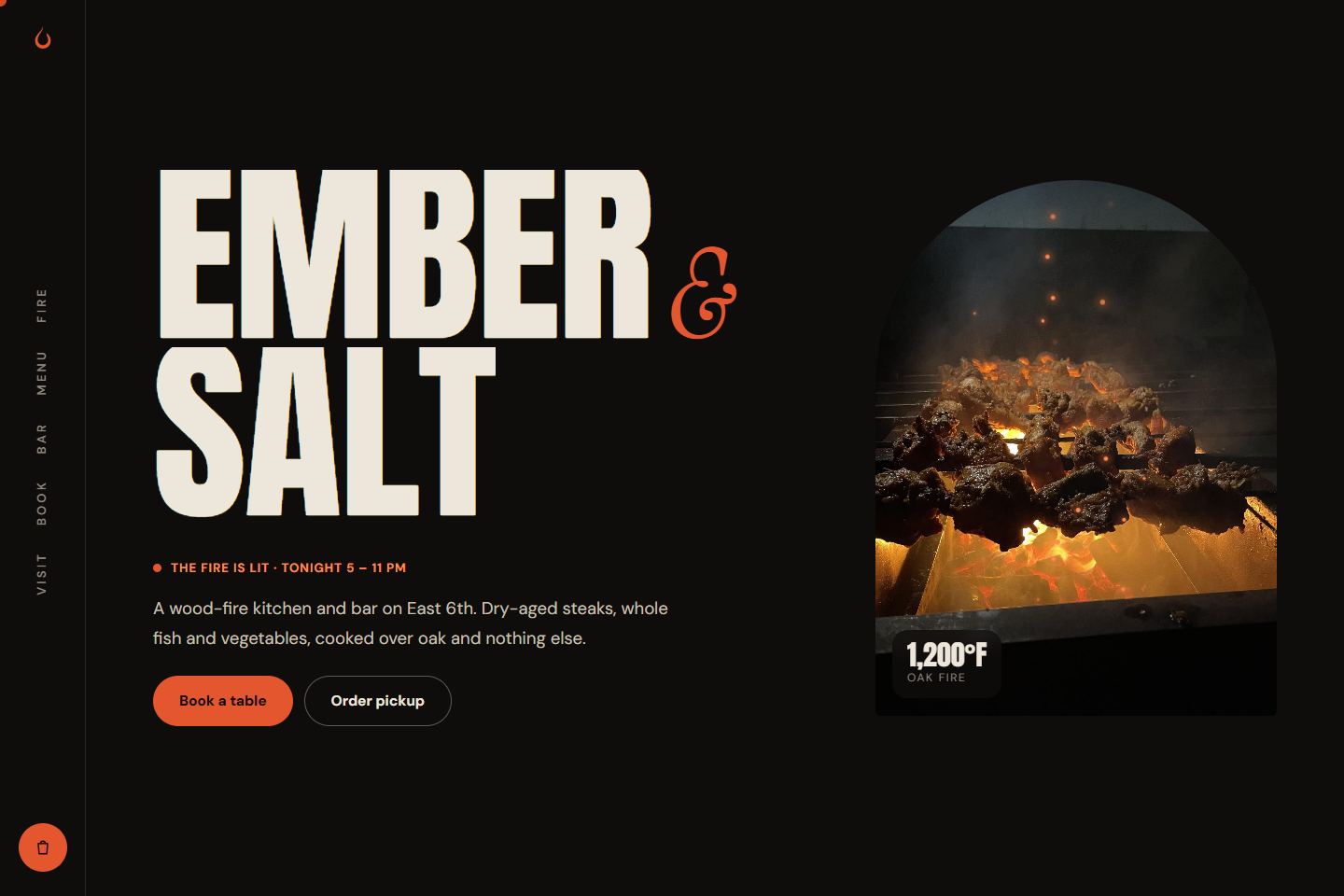
Charcoal, bone and ember orange, with huge condensed lettering and embers rising behind an arched photo. The navigation is a vertical rail down the left side; on phones it becomes a bottom tab bar. The signature moment is a sideways-scrolling "from the fire" section.
- Best for: grills, steakhouses, BBQ joints and cocktail bars with a kitchen.
- Built in: table booking, pickup ordering, a bar menu.
Open the live Ember & Salt demo →
Verdolino: bright and playful, for Italian and casual dining
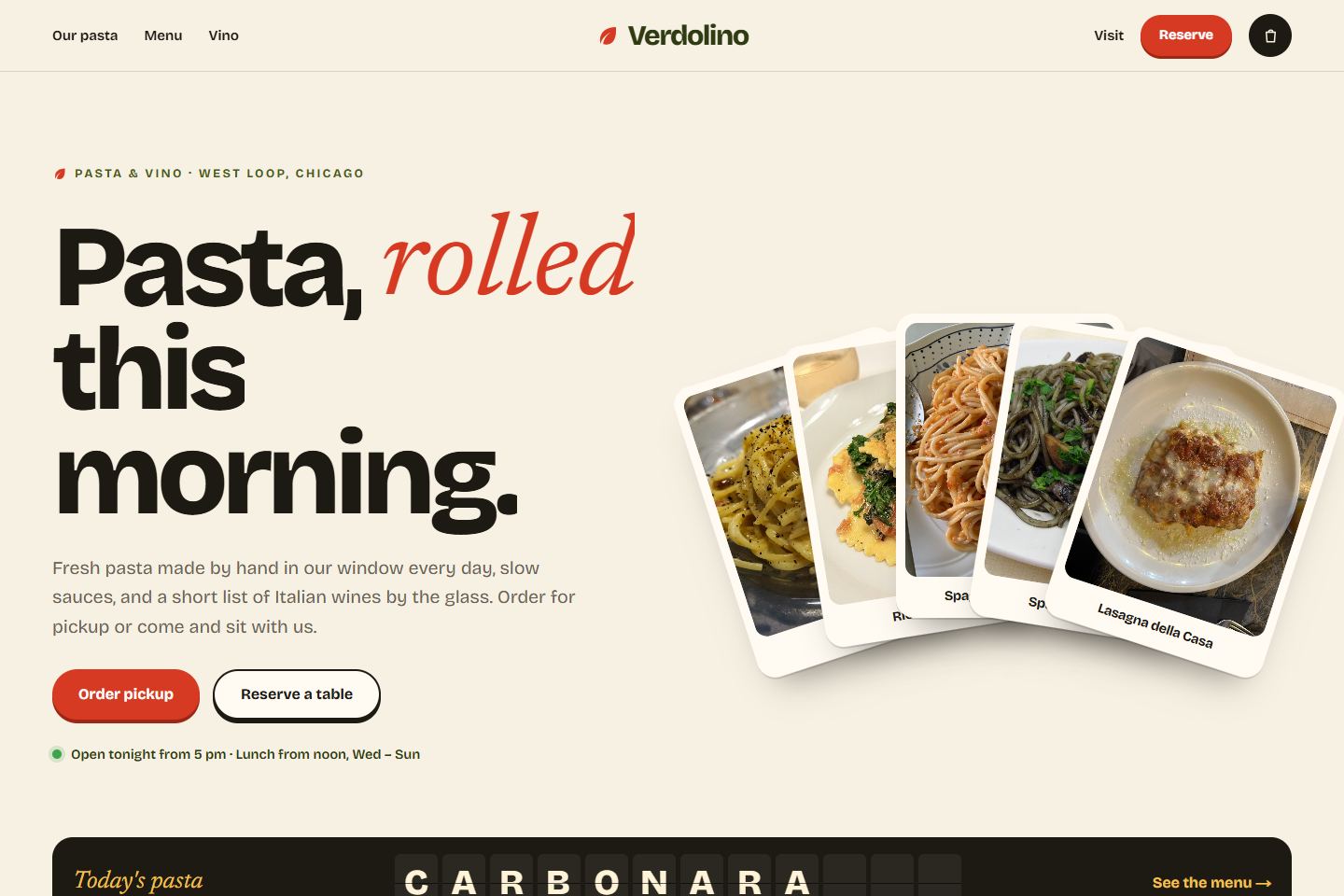
Bright cream, olive, tomato red and butter yellow, laid out like a poster. The hero is a fanned deck of dish cards that spreads out under your pointer. Today's specials flip over like an old train-station board.
- Best for: pasta bars, pizzerias, trattorias and wine bars that want to feel fun, not formal.
- Built in: flip-board specials, pickup ordering, table booking.
Open the live Verdolino demo →
Ishiyo: quiet and modern, for sushi, ramen and counter dining
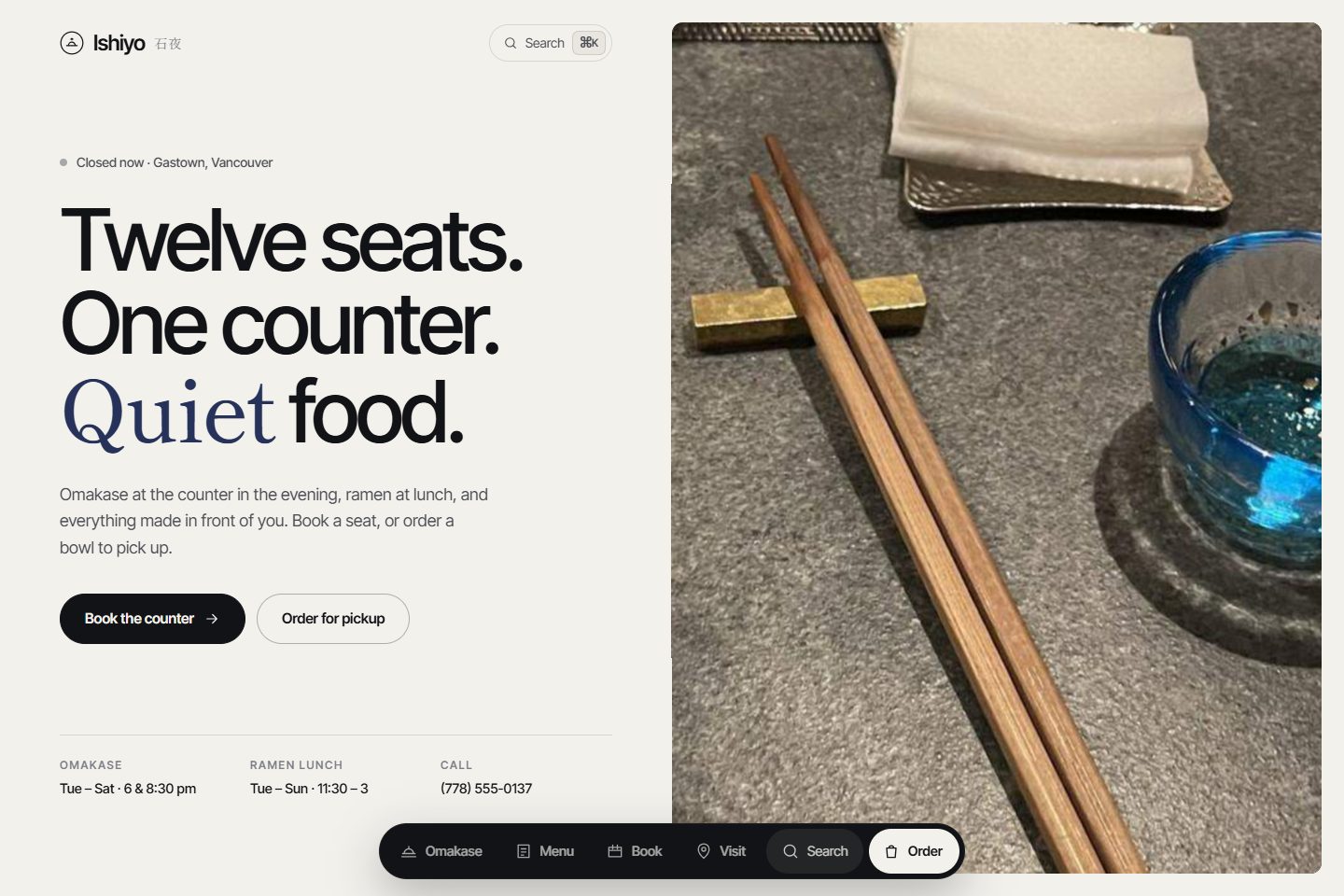
Stone-coloured paper, ink and indigo, with lots of space. A floating dock at the bottom of every screen holds the navigation, and a keyboard search (press "/") finds any dish. You can drag through the omakase courses and choose your seat at the counter when you book.
- Best for: sushi counters, ramen shops, omakase and any restaurant with a small number of seats.
- Built in: seat booking, a draggable omakase menu, pickup ordering.
Tidewell: clean and coastal, for seafood and multi-location restaurants
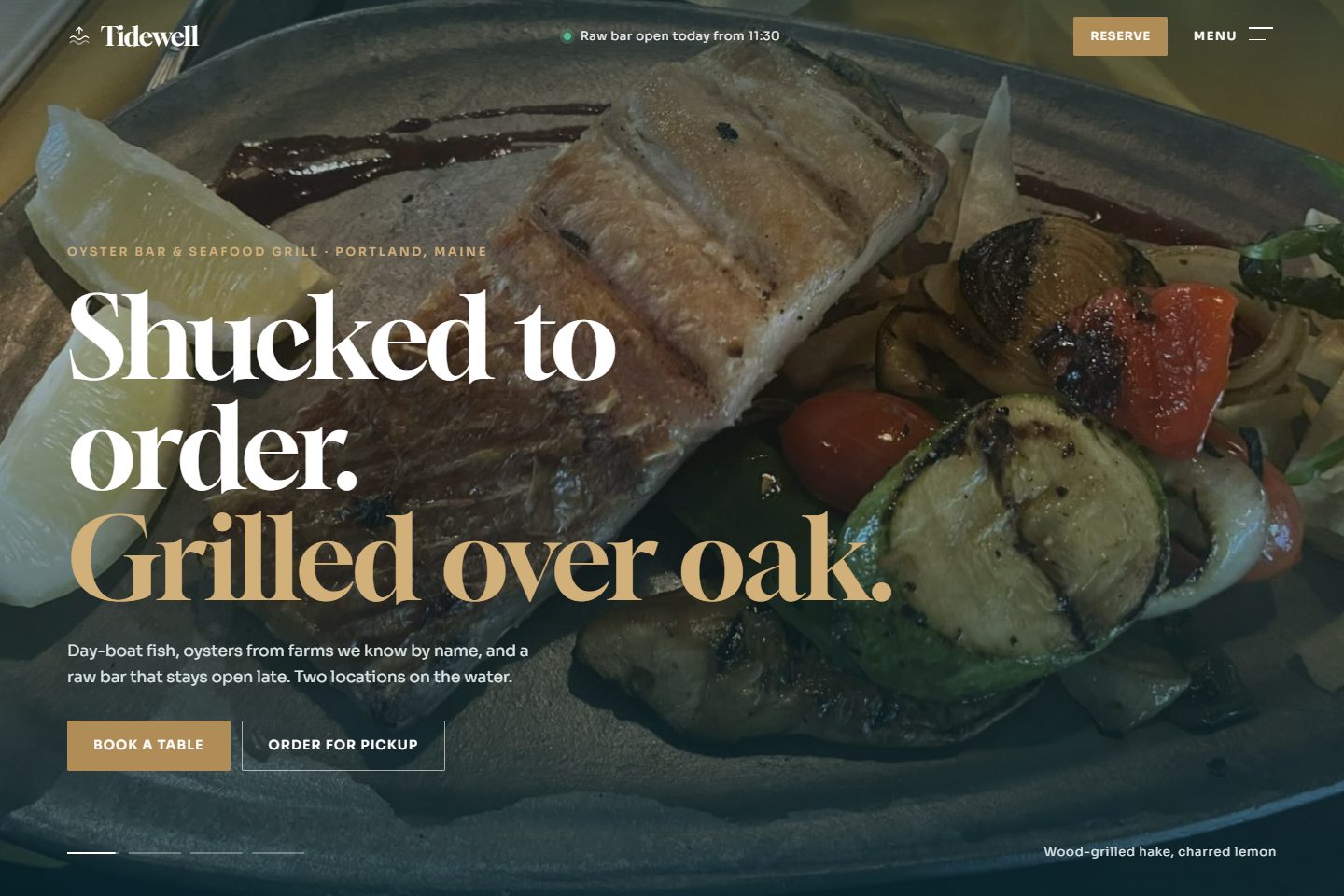
Crisp white, deep sea teal and brass. The hero is a slow slideshow with captions; the menu button opens a side sheet with a photo preview for each link. Its standout feature is an oyster tasting chart (briny to sweet, delicate to bold), and it handles two locations with a simple switcher.
- Best for: seafood restaurants, raw bars, and any restaurant with more than one location.
- Built in: a location switcher, table booking, an interactive tasting chart.
Sunfold Bakehouse: soft and rounded, for cafés, bakeries and brunch
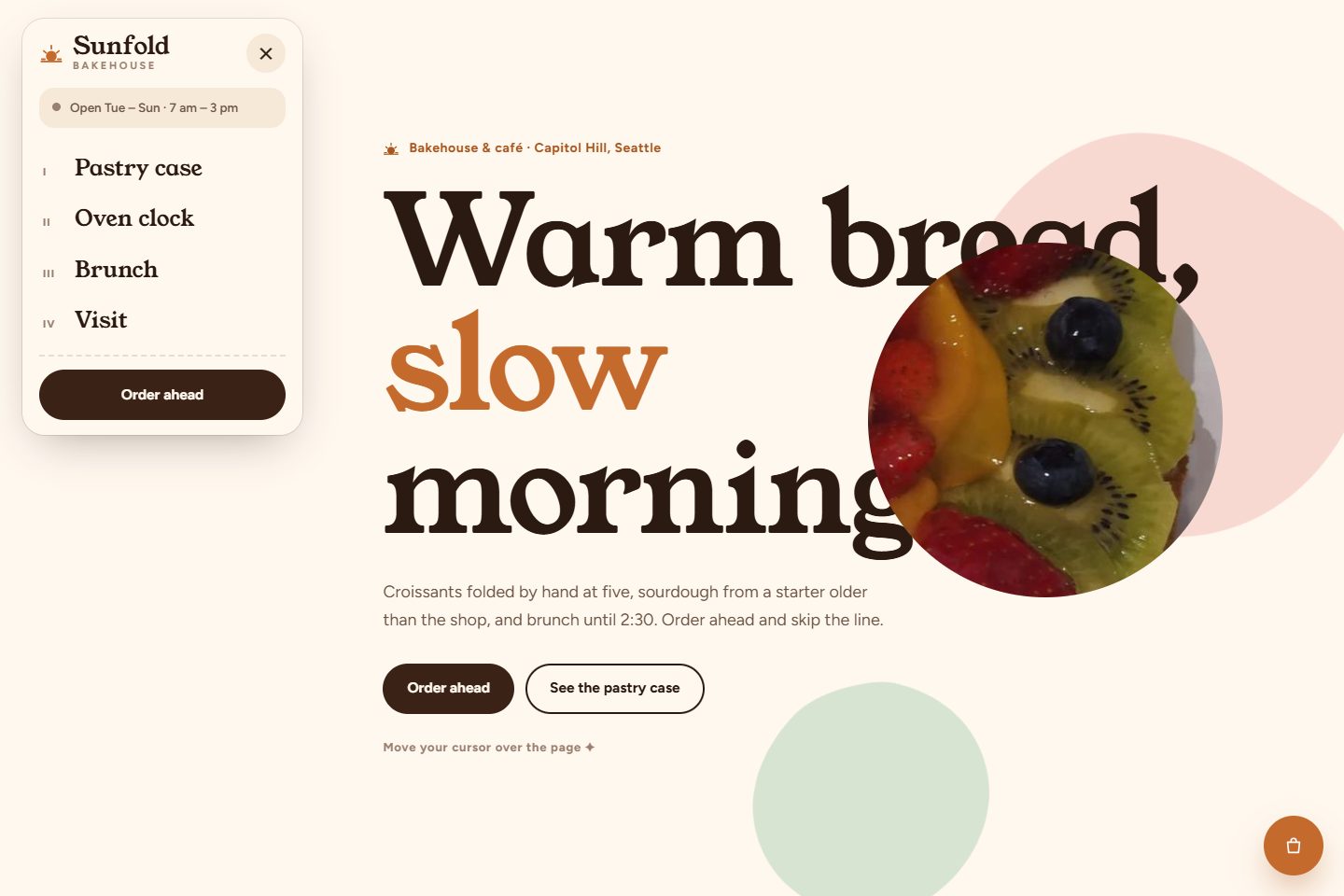
Flour white, caramel, cocoa and blush. Your cursor becomes a circle that reveals pastry photos under the headline. A live "oven clock" shows what is coming out of the oven right now, using the bakery's own time zone.
- Best for: cafés, bakeries, brunch spots and coffee shops.
- Built in: order ahead for pickup, a pastry case, a brunch menu.
Cielo Picante: loud and sunny, for taquerías and street food
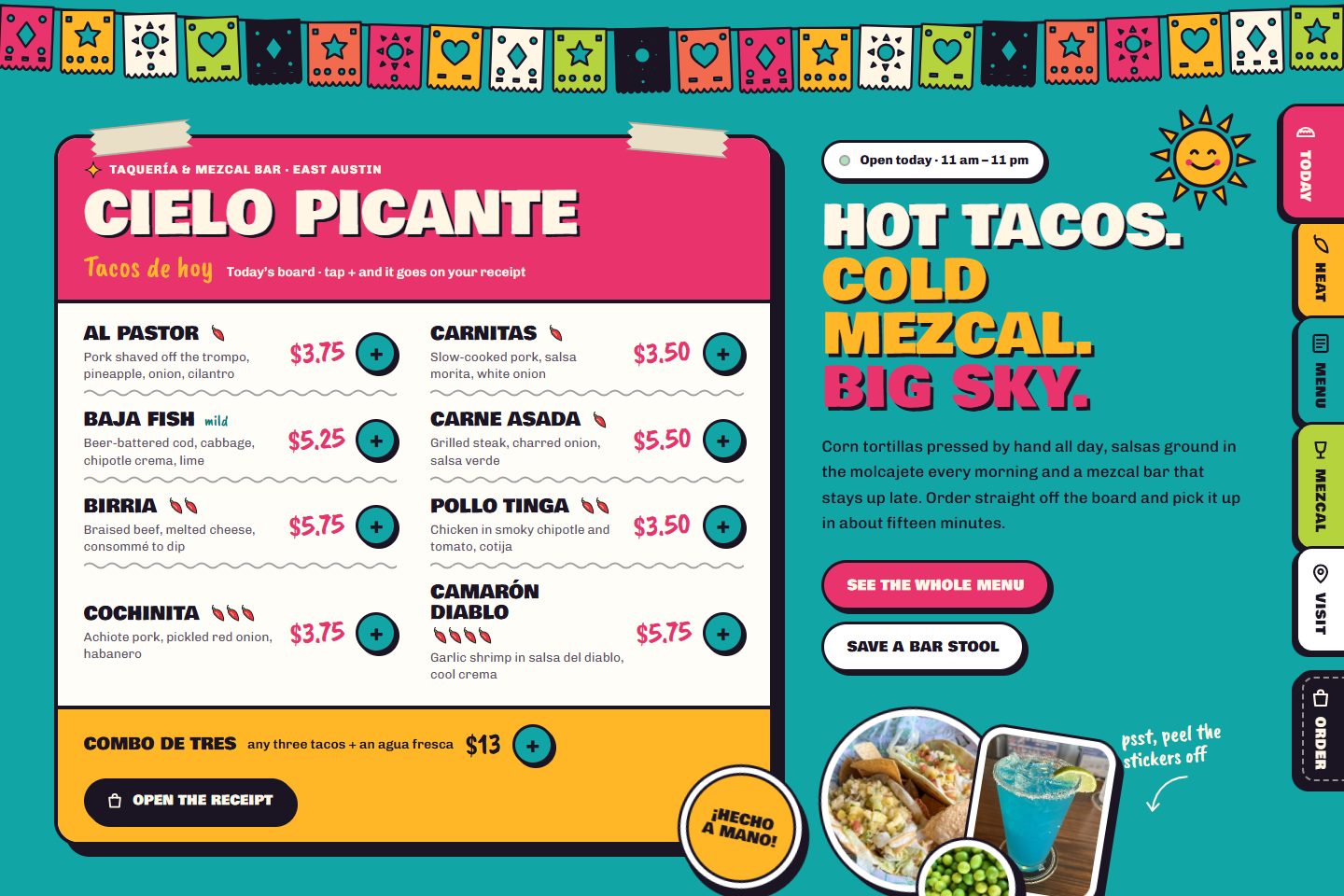
Hot pink, marigold and turquoise, with hand-drawn touches and papel picado swinging across the top. The first screen is the menu board, so guests can order tacos before they scroll. Drag the chilli heat meter and the page warms up and suggests salsas; the cart prints out like a receipt.
- Best for: taquerías, food trucks, street food and fast-casual counters.
- Built in: pickup ordering from the first screen, a heat meter, a receipt-style cart.
Open the live Cielo Picante demo →
Maison Corbel: Parisian chalk and brass, for bistros and brasseries
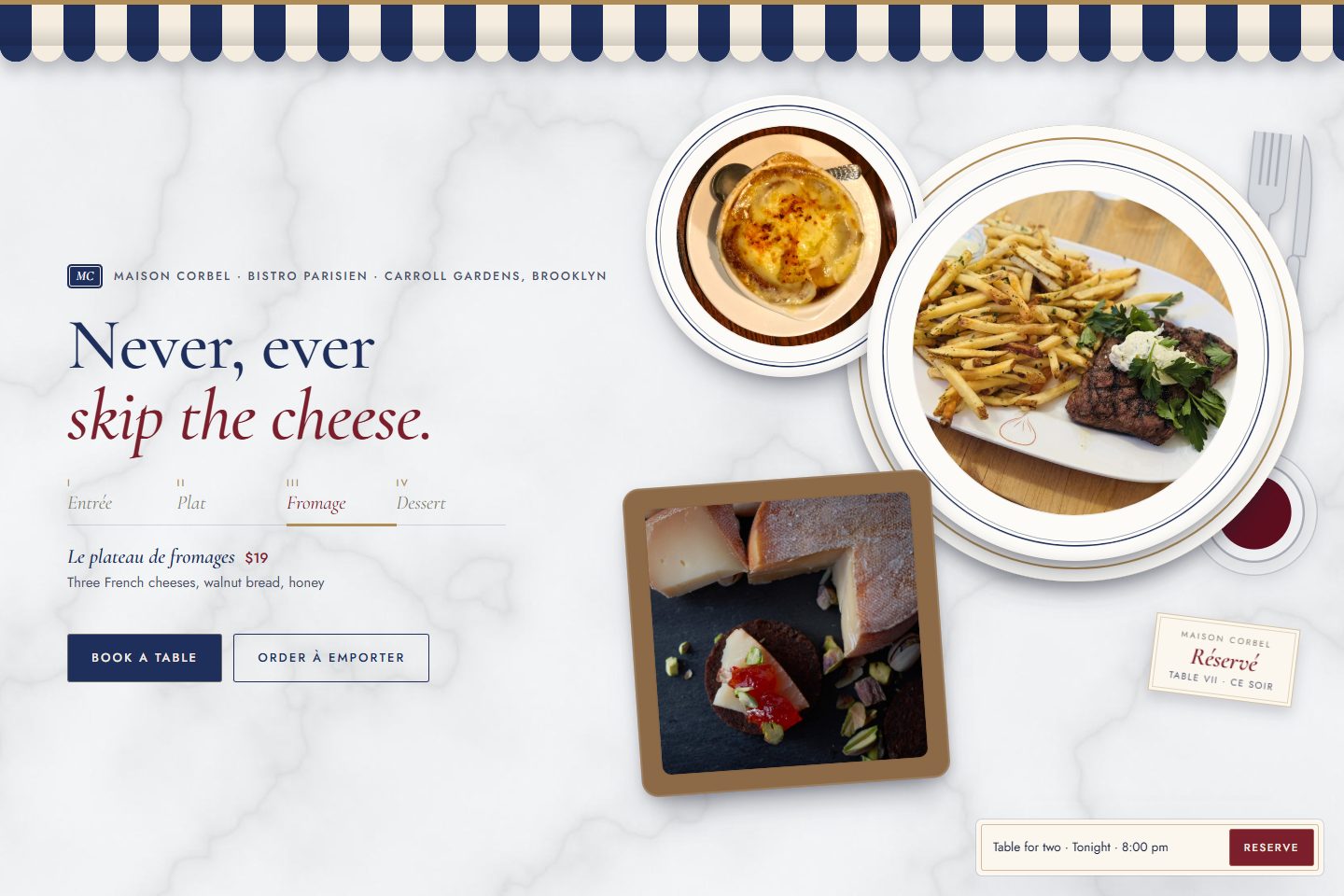
Navy, cream, chalkboard and brass. As you scroll, courses are served onto a table, one after another. The specials board writes itself in chalk, and a wine glass fills as you read the pairing. The navigation lives inside a floating reservation card, so booking is never more than a tap away.
- Best for: bistros, brasseries, wine-led restaurants and anywhere guests book ahead.
- Built in: table booking, wine pairing, a lunch, dinner and wine carte.
Open the live Maison Corbel demo →
Bulbit: neon nights, for Korean BBQ and late-night spots
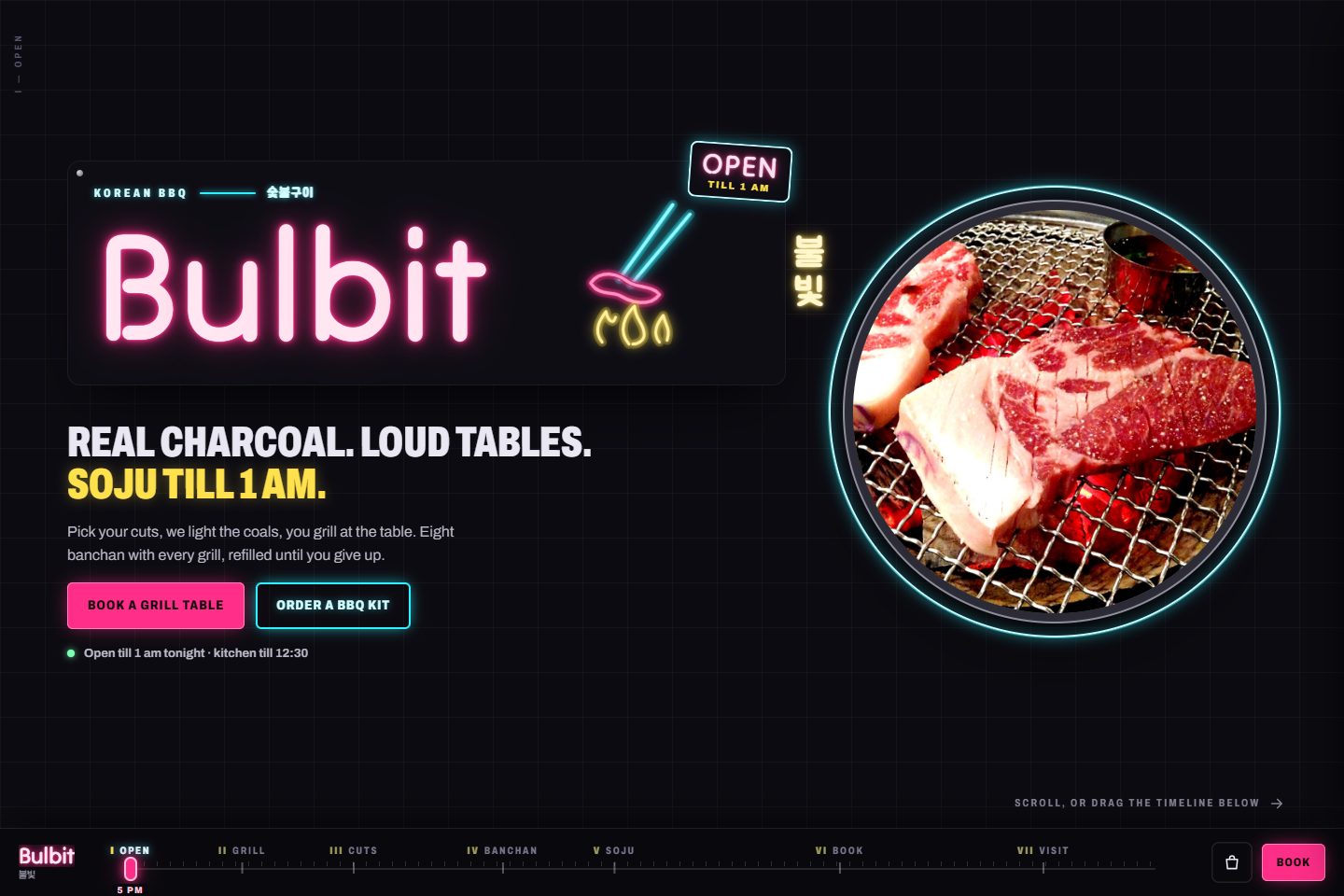
Near-black, neon pink, cyan and signal yellow. The neon sign flickers on tube by tube, and on desktop the whole site scrolls sideways like a night market, with a chapter scrubber at the bottom. Guests drag cuts of meat onto a round grill to build their order.
- Best for: Korean BBQ, izakayas, late-night bars and restaurants with a strong night-time crowd.
- Built in: build-your-grill ordering, table booking, BBQ kits to go.
Ashvane: black and gold, for fine dining and tasting menus
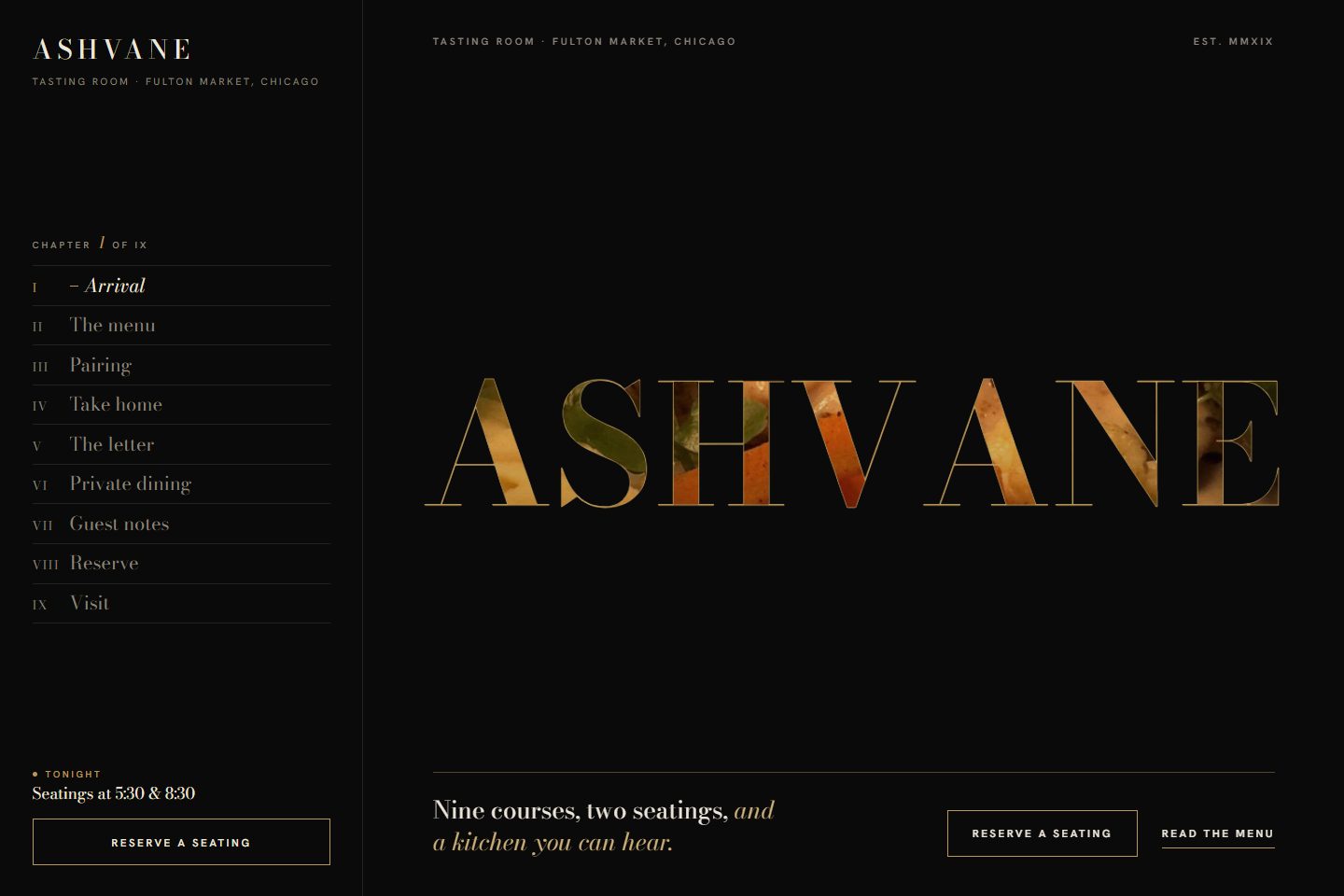
Black, warm ivory and fine gold lines. The restaurant's name works as a window onto a photo that zooms until it fills the screen. A gold line draws through all nine courses of the tasting menu, with the wine pairing a tap away. Booking takes a deposit, which is how most tasting-menu restaurants cut no-shows.
- Best for: fine dining, chef's tables and tasting-menu restaurants.
- Built in: a tasting-menu timeline, wine pairing, deposit booking.
How to choose the right template
Start from your guests, not from the colours you like. A quick guide:
| If your restaurant is… | Start with |
|---|---|
| Family-run, home-style, lots of regulars | Shapla Kitchen |
| A grill, steakhouse or bar | Ember & Salt |
| Casual Italian, pizza or a wine bar | Verdolino |
| Small, calm, counter seating | Ishiyo |
| Seafood, or more than one location | Tidewell |
| A café, bakery or brunch spot | Sunfold |
| Tacos, street food or fast-casual | Cielo Picante |
| A bistro where most guests book | Maison Corbel |
| Busy late at night | Bulbit |
| Fine dining or a tasting menu | Ashvane |
Then ask two more questions:
- Do most of your guests order, or book? Pick a template whose main button matches. A takeaway-heavy place wants "Order" on the first screen; a bistro wants "Book".
- Do you have good photos? Photo-led designs (Ember & Salt, Tidewell, Ashvane) need strong photos. Type-led designs (Verdolino, Cielo Picante, Sunfold) look great even with a few.
Template builder or done for you?
You can build a restaurant site yourself on a website builder with a theme. It costs less up front, and it suits owners who enjoy that kind of work. The catch is everything around the template: writing and updating the menu, photos, connecting online ordering (often a third-party service with its own fees), keeping Google in step, and fixing things when they break.
The other route is to have it done for you. That is what we do: you pick one of the designs above, and in two days we send a free mockup with your name, menu and photos on it. If you like it, we build the full site in about two weeks, with commission-free ordering or booking, and look after your Google profile every month. Plans start at $49 a month plus setup, and you can see them all on our restaurants page.
Frequently asked questions
What should a restaurant website include?
At minimum: your menu as text, opening hours, address and phone, photos of your real food, and one clear way to order or book. Everything else (reviews, catering, gift cards, events) is a bonus.
Is a template good enough, or do I need a custom design?
A good template is plenty for most independent restaurants, as long as it is rebuilt around your menu and photos rather than left with stock pictures. What guests notice is speed, clarity and real food, not whether the layout was drawn from scratch.
Can I take online orders without paying commission?
Yes. With ordering on your own website, guests pay you directly and you only pay normal card fees, which are usually a small fraction of a delivery app's commission. You can keep the apps for reaching new guests and move your regulars to your own site.
Are the restaurants in these templates real?
No. Every restaurant here is made up, with example addresses and phone numbers, so you can judge the design itself. Orders and bookings in the demos are not sent anywhere.
How long does it take to launch a restaurant website?
With us, a free mockup takes about two days and the full build about two weeks, depending on how quickly the menu and photos come together.
See all ten side by side
You can compare every design on one page, see what each plan includes, and ask for a free audit of your restaurant's website and Google profile on our restaurants page.